
Discover
Weeks of discovery meetings, done in short sittings on the client's schedule.
Your client's sponsor and the people who do the work each get their own link. An AI interviewer asks how the work really gets done. You get findings you can defend, the decks to present them, and the agreements that close the project.
Try the interviewer yourself Two minutes, no sign-up. It sizes what discovery and outreach cost you today.
Set up
A client is ready to interview in minutes. Nothing has to be written first.
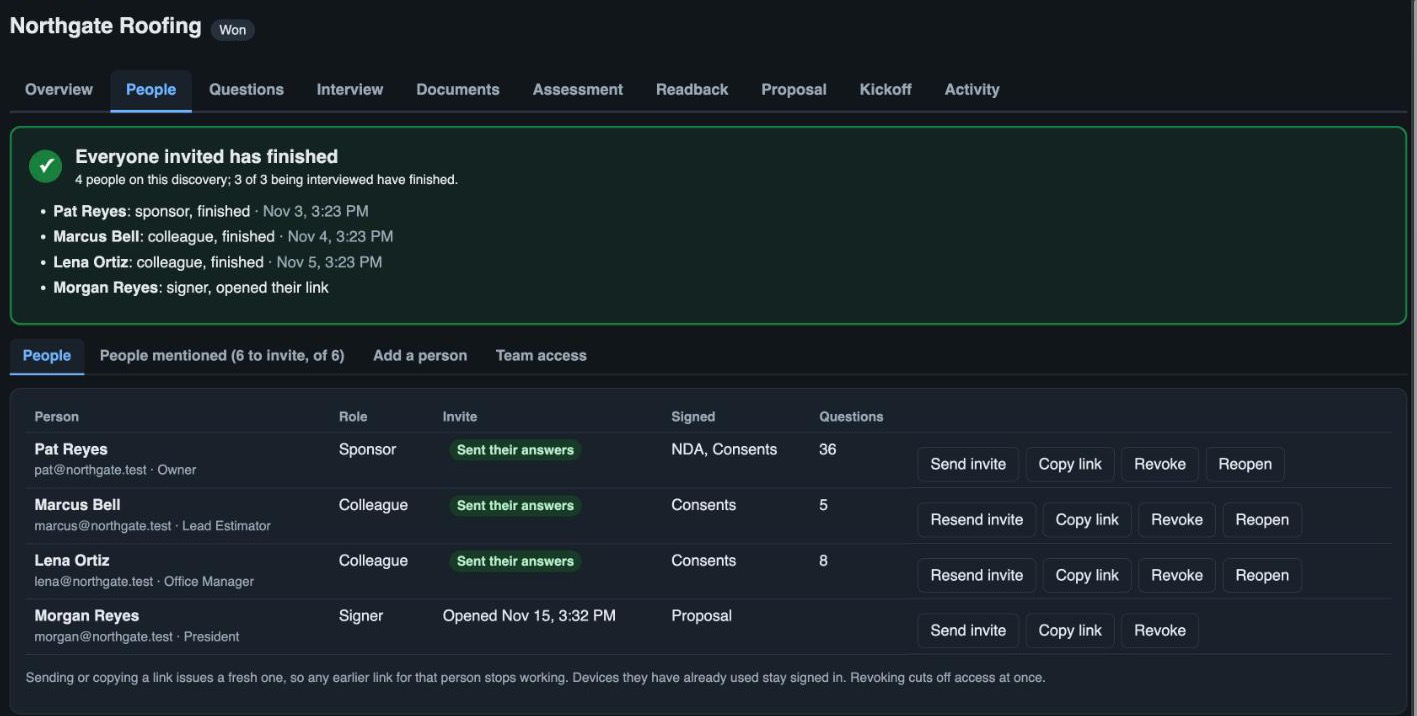
- The people. A sponsor, the colleagues who do the work, and whoever will sign. Each gets a personal link by email. No account, no password.
- NDA first. The sponsor signs your mutual NDA online before the first question.
- Questions, if you want them. Core questions for every sponsor, questions tailored to this client from your call notes, and your own library. Or none: the interviewer covers the ground for each role.
- Deep-dive areas. Add the areas worth a closer look, each with its own instructions and must-ask questions for the person who does that work.
- Your interviewer. Its name, its voice, and a playbook of how your company likes an interview run.
- Reminders. A sponsor who goes quiet is nudged on the schedule you set, in working hours.
Interview
Each person talks or types with the AI interviewer, on their own time, and can do more than answer.
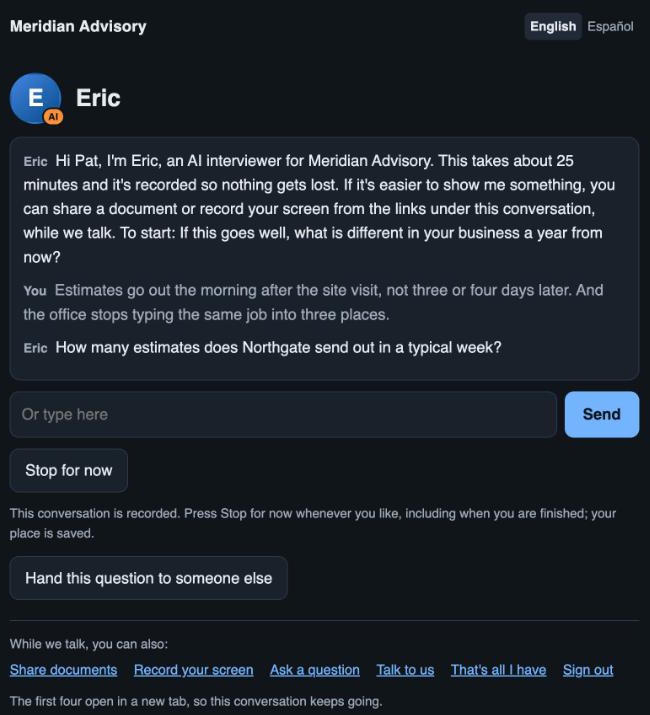
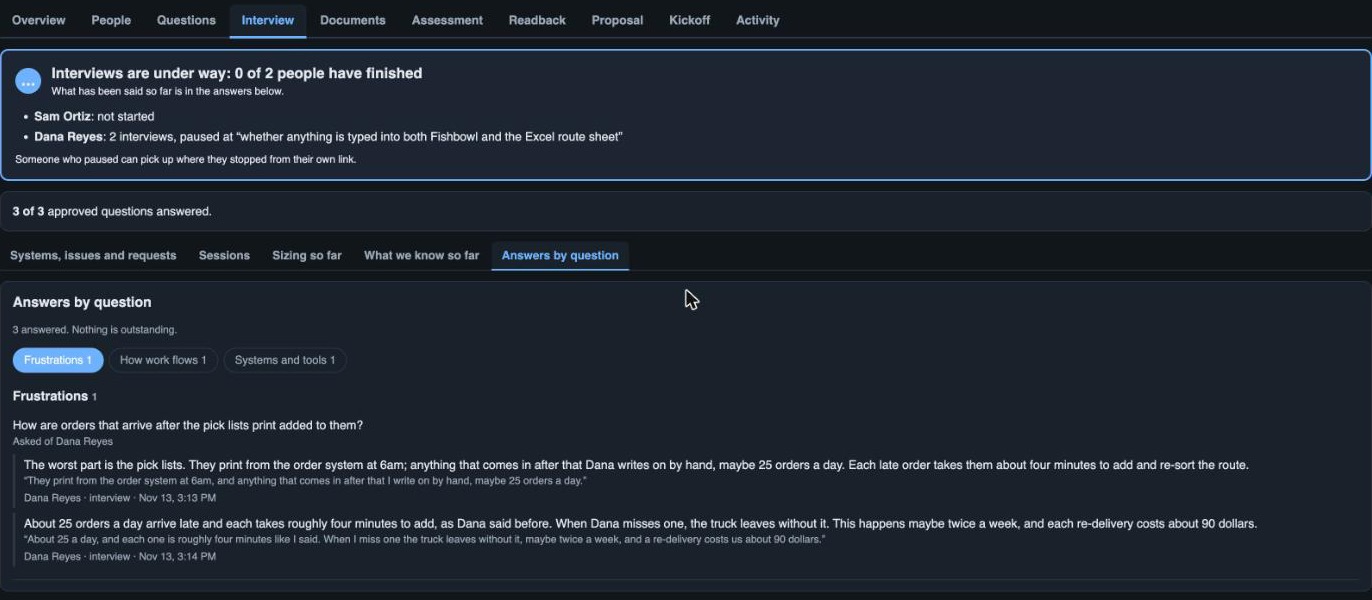
- By voice or by keyboard. The interviewer always says it is an AI, in English or Spanish, and follows up: how often, how long, who, in what tool, what goes wrong.
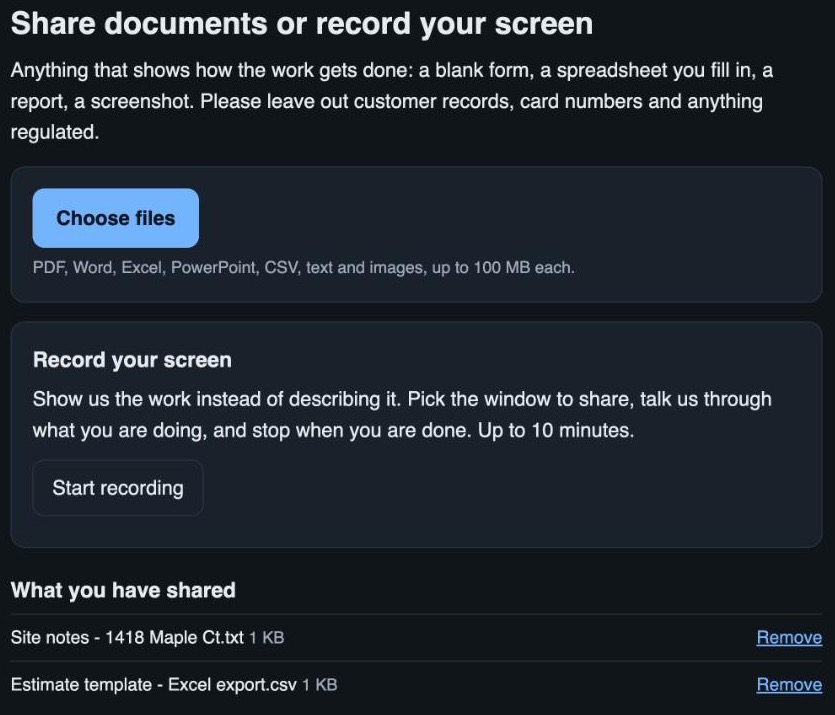
- Share a document. Mid-conversation, the person can upload the spreadsheet, form or report they are talking about.
- Record the screen. They can record themselves doing the task, so you see the steps instead of hearing them described.
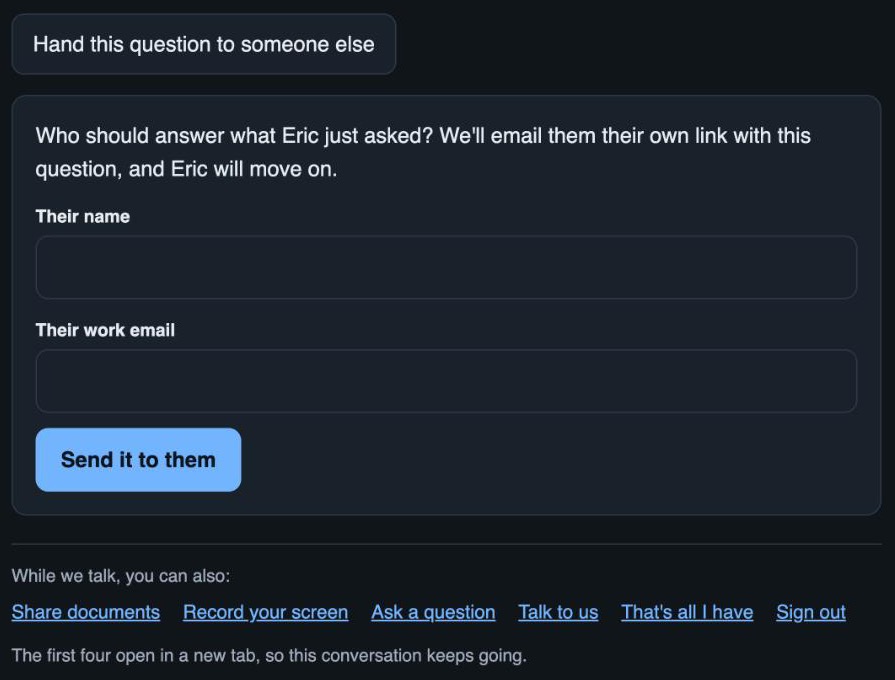
- Refer a question to a colleague. "Ask our billing person" becomes an invitation to that person, with the question attached.
- Stop and come back. Each sitting has a time limit. People pause, pick a time to return, get a reminder, and carry on from the exact point they stopped.
- Ask for a person. Anyone can ask to talk to a human or ask how the process works, and you are told.
- Add more later. Someone who has finished can come back for a follow-up interview when they think of something else.
Evidence
Everything said and shown is written up, sorted and kept current.
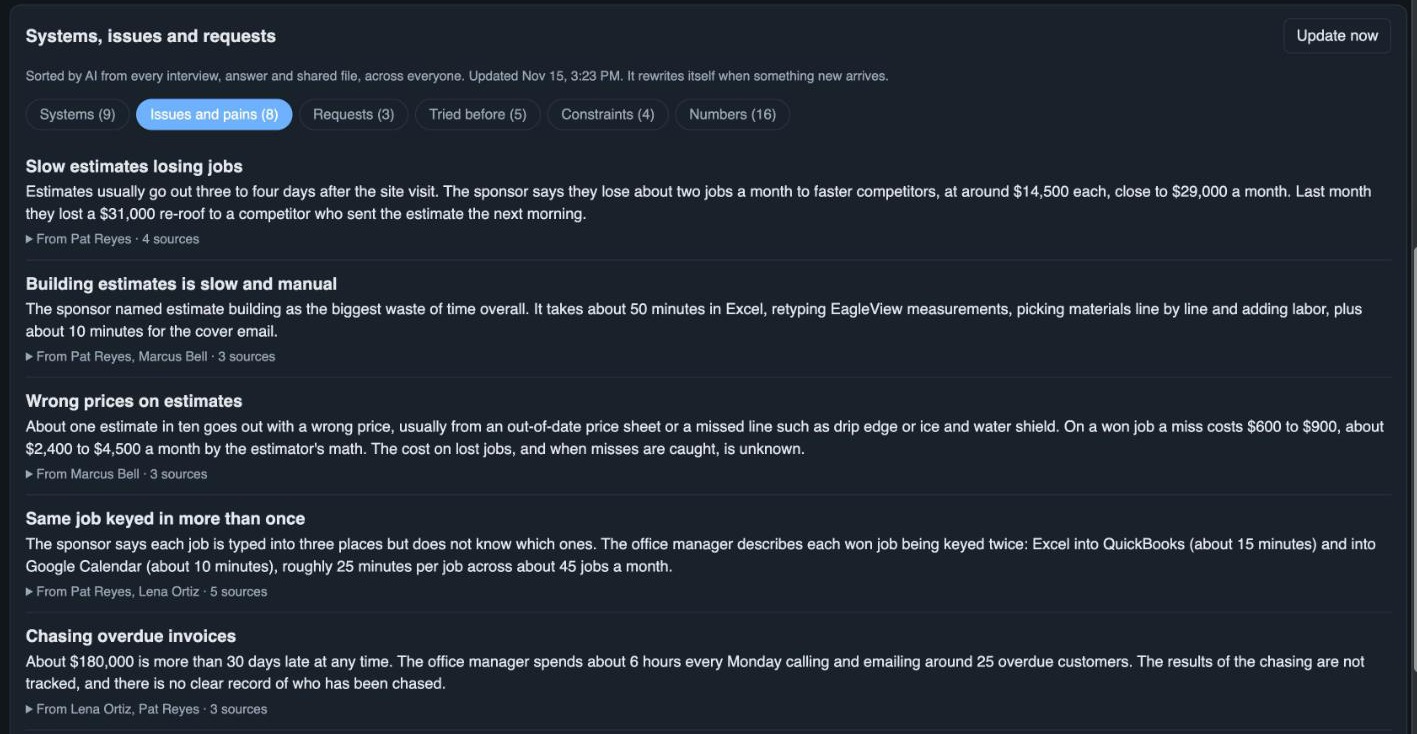
- Answers in their words. Each answer is written up plainly, with the client's own words quoted beneath it.
- Documents and recordings read. Files, screenshots, voice notes and screen recordings are read, and the findings and figures in them are filed with the answers.
- Systems, issues and requests. One register across every interview: the tools they use, the problems, what they asked for, what they tried, their constraints and their key numbers.
- What we know so far. Per person: what is covered, what is still needed, and where they stopped.
- People mentioned. Anyone named as knowing more is listed with the questions waiting for them, ready to invite.
- A sizing checklist. For each problem: the trigger, the steps, who, how often, how long, what goes wrong and what it costs.
Assessment
Every opportunity is sized from the client's figures, with the inputs open for you to correct before you approve it.
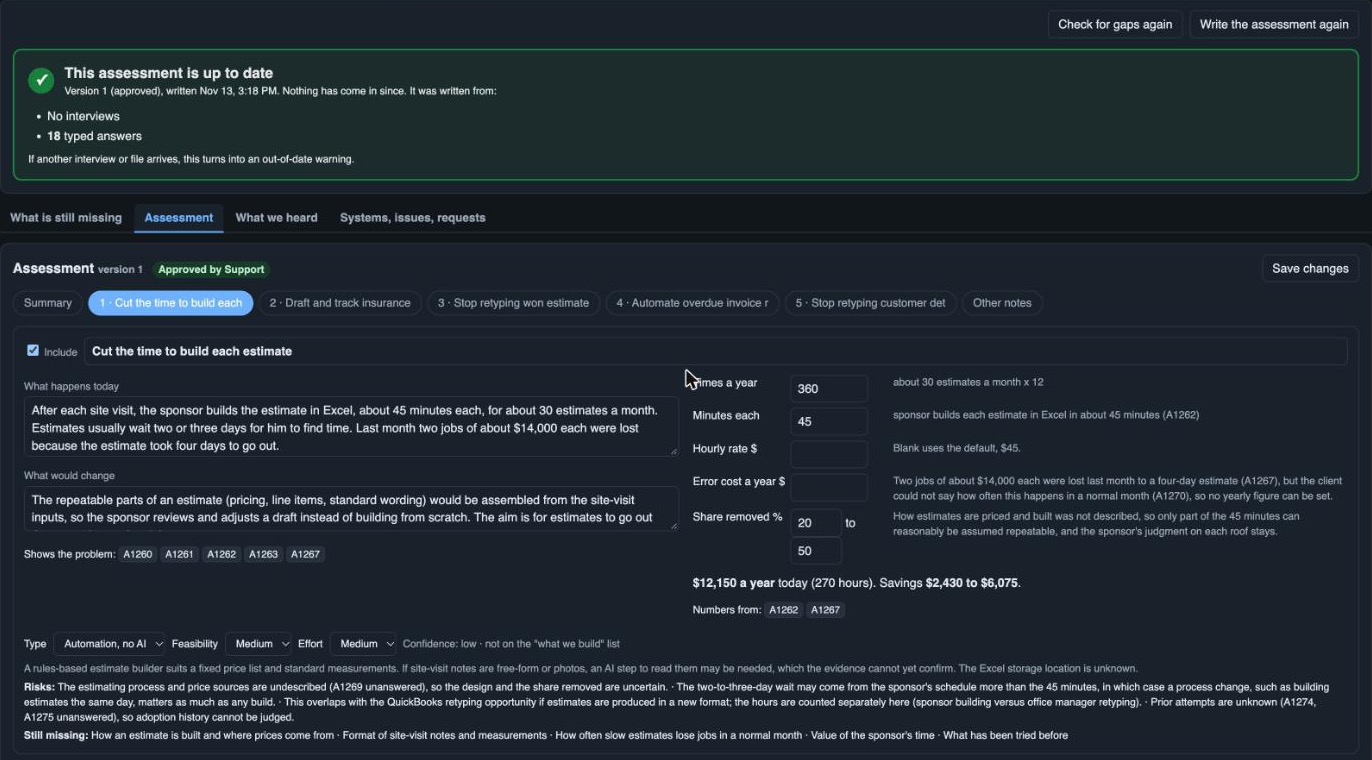
- A gap check first. What is still missing to size each problem, with follow-up questions drafted for you to send as a short second interview.
- Opportunities, by kind. AI-led, automation or a change in process, each with what happens today and what would change.
- Sized in their numbers. Times a year, minutes each, the rate and the cost of errors, taken from the evidence. The arithmetic is done in code and you can edit every input.
- Feasibility and effort. Each opportunity is rated, with the reason, the risks and what is still unknown.
- Their tools looked up. The software the client named is researched on the web for what can be connected to, with sources.
- Where to start. The best first step is picked out, and what you would not recommend is listed with why.
- Always current. The assessment says when new interviews or files have overtaken it, and a draft nobody has edited rewrites itself.
What we heard and readback
The client confirms the findings before you present them.
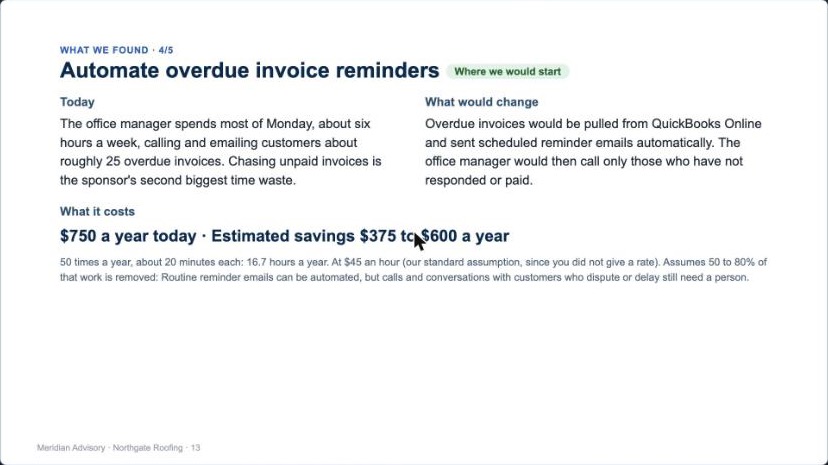
- What we heard. A plain summary goes to the sponsor, in their language, with no advice in it. They correct any point and confirm.
- A readback built from the approved assessment. What you did, what they told you, what you found, each finding with its cost and savings range, and where you would start.
- Walk it through, then release it. Present it on the call, then release it to the client's page to read afterwards.
- You can see it was opened. The record shows when the client opened the readback and the proposal.
Proposal and agreements
The opportunities you pick become a proposal the client can comment on and sign.
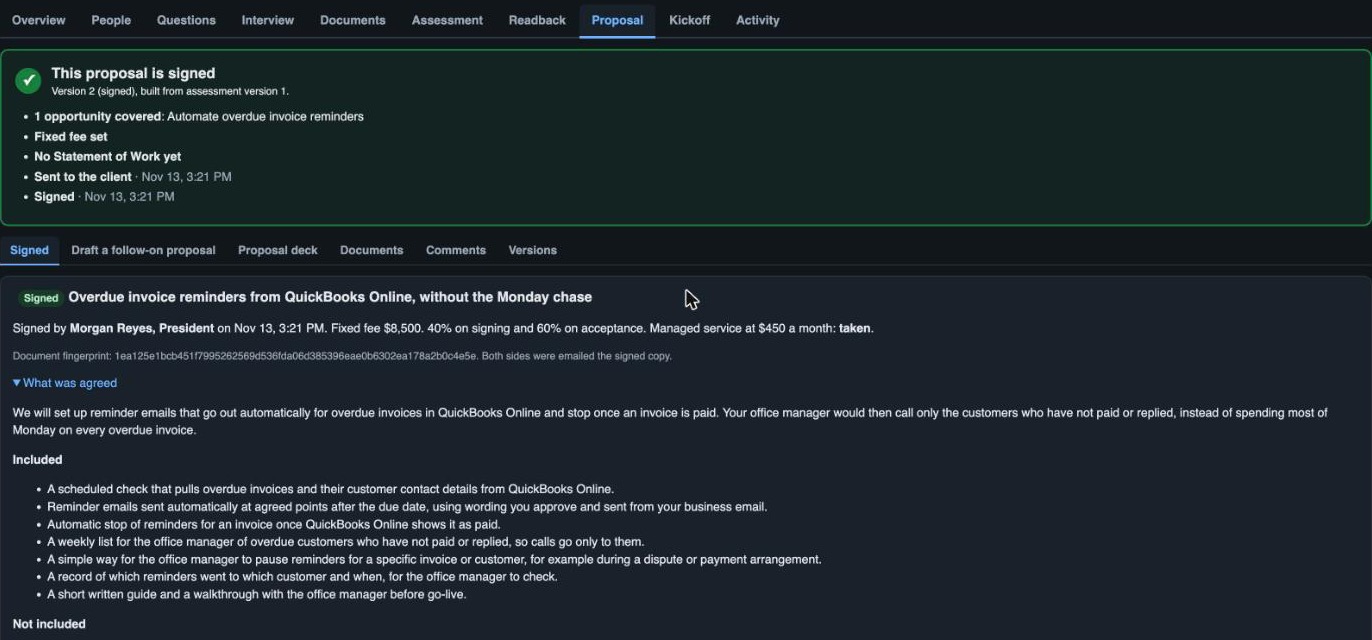
- Scope drafted for you. What is included, what is not, the phases, what the client provides, the assumptions and how success is judged.
- Priced from your price list. A fixed fee by size of work, and your managed service as an option the client says yes or no to. Prices are never written by AI.
- A Statement of Work for this engagement. Written from the approved scope, following your own example, with an acceptance test for each deliverable.
- Your Master Services Agreement. Your template is attached beneath the Statement of Work, with the client's name filled in.
- Comment, hand on, sign. The client comments, passes it to the person who signs, and signs online. The exact text signed is kept with its fingerprint and a signature record.
- Copies for everyone. The proposal and the signed copy as a page, a PDF or a Word file, for you and for the client.
- Versions and follow-ons. Revise a sent proposal as a new version, record payment, and offer the next piece of work to a client who has already signed.
Decks
Three decks, each built from what is already approved, ready to present.
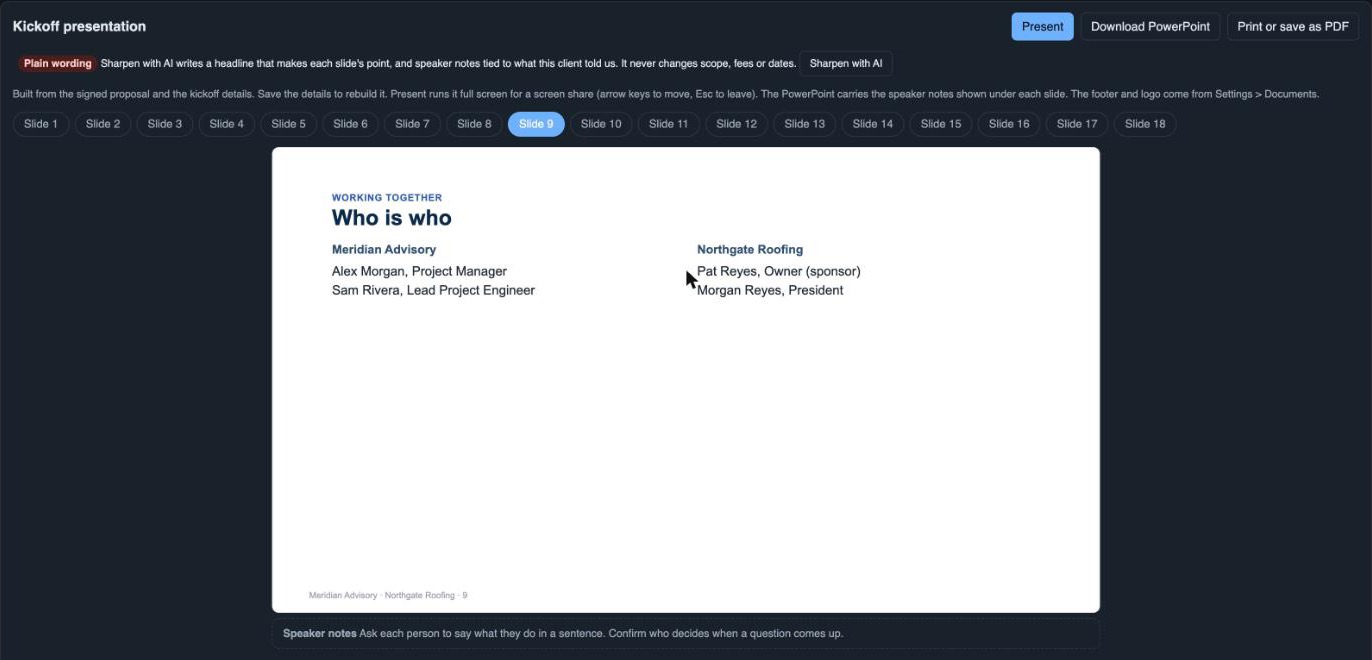
- The readback deck. The findings, for the call where you walk the client through them.
- The proposal deck. The scope, the plan, the fee and what comes next, for the call where you propose.
- The kickoff deck. Who is who, the plan, what you need from them, how you will work together and the first two weeks, with a meeting agenda.
- Present, PowerPoint or PDF. Present full screen from the browser with speaker notes, or download a PowerPoint or a PDF.
- Your logo and footer. Set once and used on every deck.
- Sharpen with AI. Rewrites each headline to make the slide's point and adds speaker notes tied to what this client said. It never changes scope, fees or dates.
Running it
Every client and every tab tells you where things stand and what to do next.
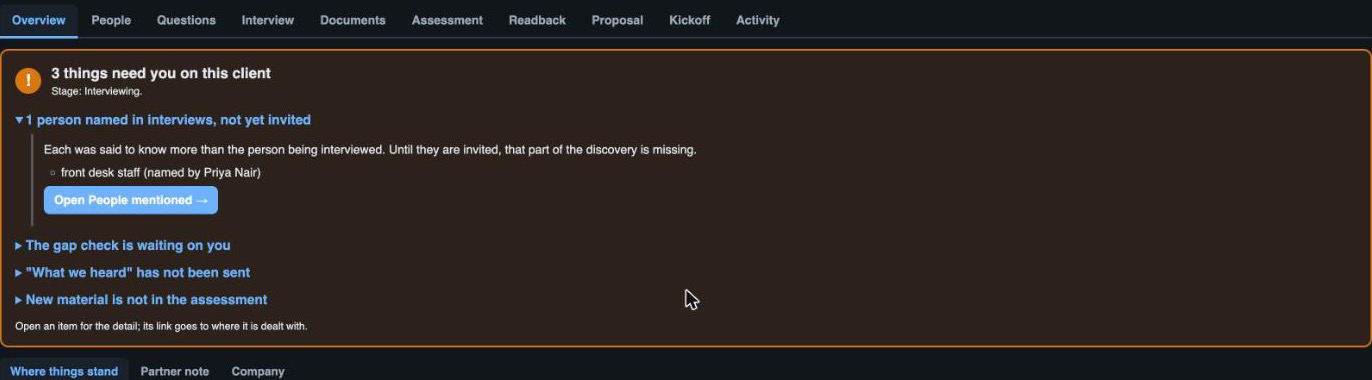
- What needs you. One overview across every client, written fresh when something changes: the most important thing today, then each client's list.
- A summary on every tab. Each tab opens with a card: green when it is current, amber when something has overtaken it or is missing, with what it was built from.
- Alerts with the action attached. People named and not invited, a gap check waiting, a proposal with no fee, an interview not written up: each opens to its detail and a button that takes you there.
- Whose turn it is. Every client shows its next step and whether it is waiting on you or on them, and for how long.
- A report. Open discoveries, interviews held, opportunities found, savings identified, proposals out and signed, and what it all cost.
- Limits and alerts on spend. A cap on interview time for each person, and an alert when a client passes the voice minutes or AI spend you set.
- Roles, audit and deletion. Admin, editor and read-only roles, access limited client by client, passkeys and two-step sign-in, an audit trail, and deletion of a client's material on request.
Next
See Discover run on a client like yours.
More about the product: Outreach · What it saves · Make it yours · Why DiscoverPro · Questions