
Sales outreach
Start with a reason to talk.
Cold email fails when it could have been sent to anyone. Outreach finds the companies, does the reading, scores them, finds the right person and drafts the message. Nothing goes out without a person saying yes. A company that says yes arrives in Discover with its research attached.
Sourcing
Bring companies in from wherever your list lives. Duplicates are merged, and anyone who has opted out is left out.
- A file. Upload a CSV or Excel list. Columns are matched for you, and the match is remembered for the next file with the same headings.
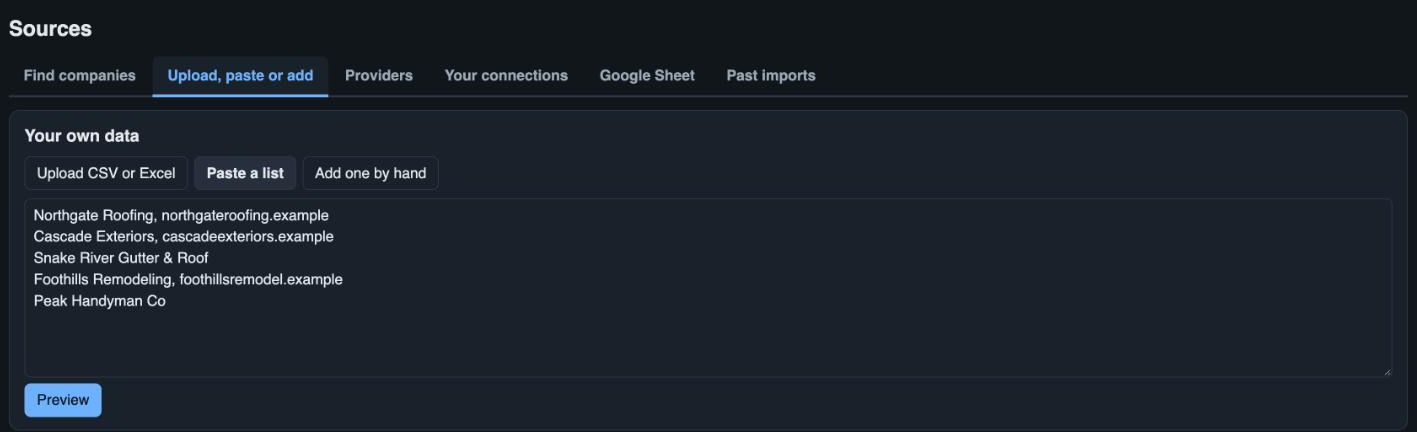
- A pasted list, or one by hand. One company name or website per line, or a single company with its contact.
- A Google Sheet. Link a sheet and new rows are pulled in every day. Rows already imported are updated, never duplicated.
- A provider search. Search Apollo, Hunter or A-Leads by keyword, place and size, untick the ones you do not want, and import the rest.
- Your LinkedIn connections. Upload each person's connections export. Anyone who works at a company on your list is marked as known, and that company becomes a warm one.
- Research now, or hold it. Import and research straight away, or store the list and choose which companies are worth researching. Nothing is spent on the ones you hold.
Research
Before anyone writes a word, the tool reads up on the company and shows its sources.
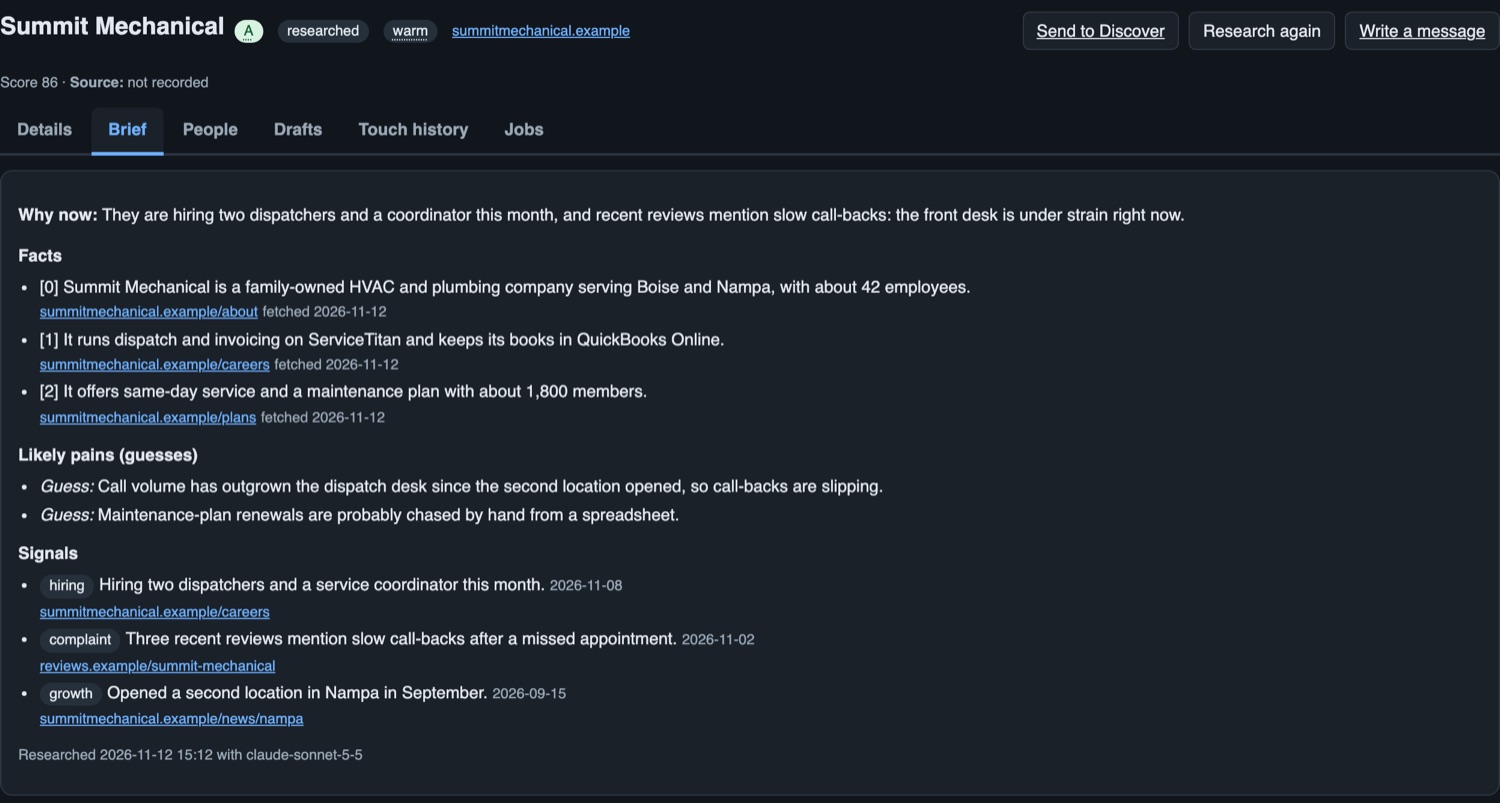
- A brief for each company. What they do, who they serve, and the facts that matter, each with a link to where it was found.
- Signals. Hiring, growth, reviews, new locations and other signs of a problem worth solving, dated and sourced.
- Why now. One line on why this is the moment to write, and the hypotheses worth testing in a first conversation.
- The website found for you. If a company came in by name only, its site is found first, then read.
- Research again when you like. A company that has changed can be researched again, and you can research one the fit check turned down.
- Every run costed. The cost of each research run is on the record, and each data provider has a monthly budget it cannot exceed.
Fit and scoring
A quick, cheap check decides whether a company deserves full research, and a score decides who is first in the queue.
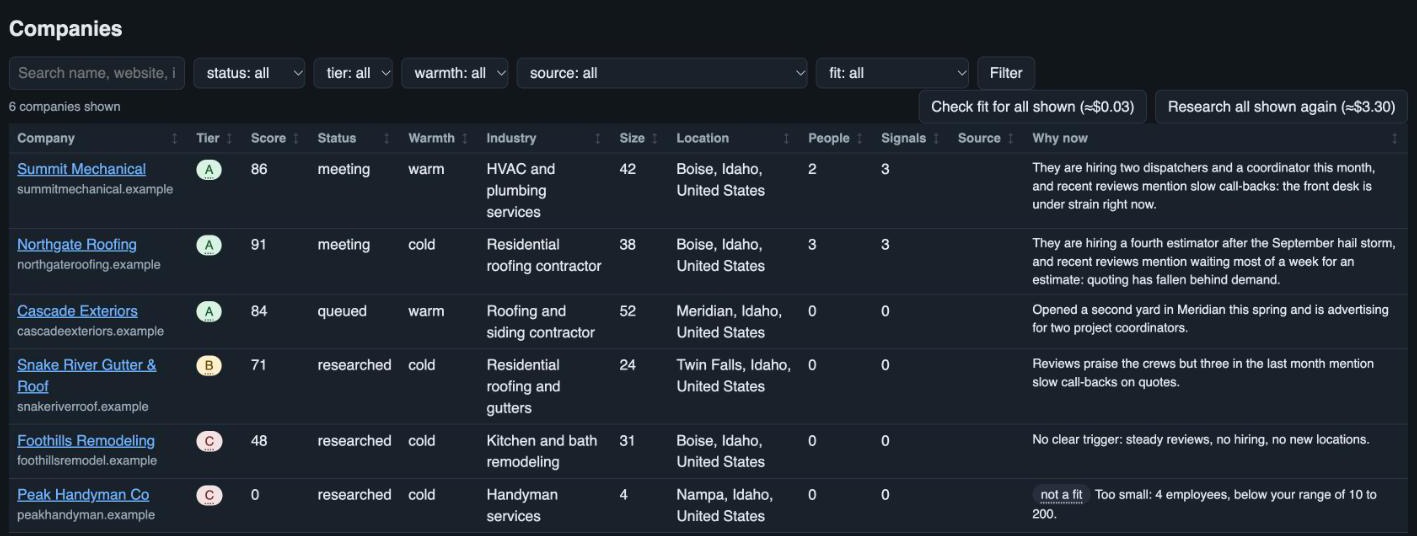
- Your fit rules. The size range and the countries you work in, and the kinds of company you do not want.
- A look before you pay. A fast read of the home page settles most cases before any full research is run.
- Not a fit, with the reason. Turned-down companies are kept with why, so you can overrule one.
- A score out of 100. Each company is scored against your rules, with the parts of the score shown, and placed in tier A, B or C.
- Warmth counts. Warm, referral, inbound or cold. Warm and referred companies always get researched and go to the front of the queue.
- Your rules, your weights. The fit rules and the scoring are yours to set.
Contacts
The right person at each company, with where each detail came from.
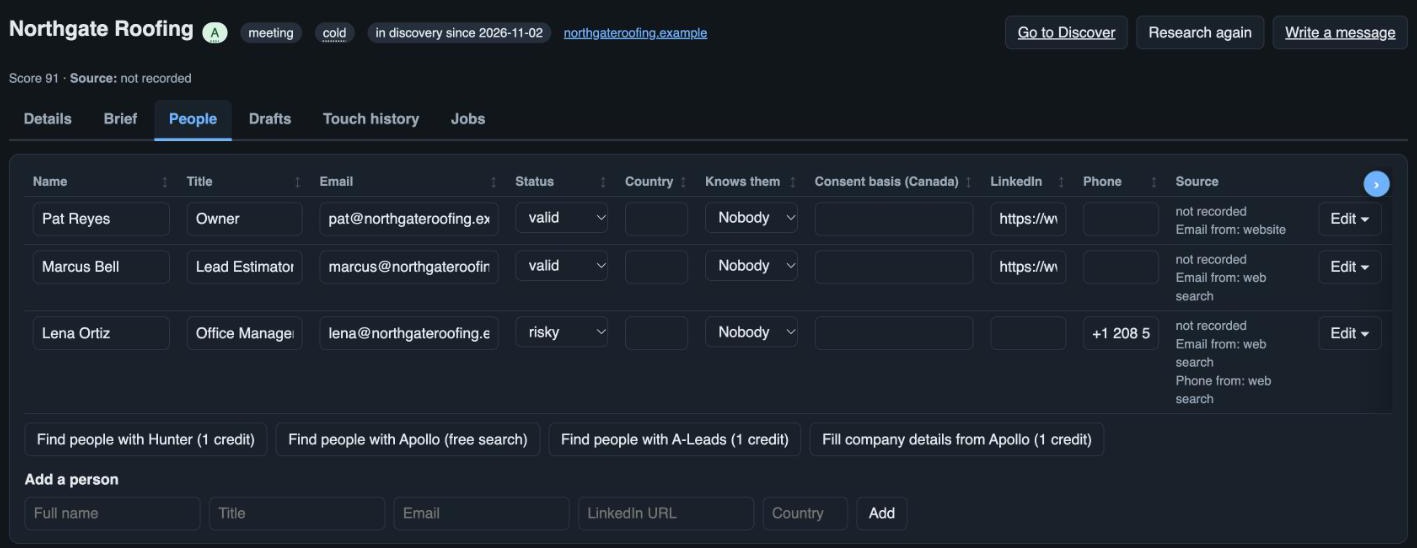
- People by role. The owner, the operations lead, the office manager: the roles you say you sell to.
- Found for you. From your data providers or the open web, with the source kept beside each person.
- Email and phone on request. Look up a missing email or phone number for one person when you need it, with the cost shown.
- Email status. Each address carries its status: unverified, valid, risky or invalid.
- Who knows them. A contact one of your people is connected to is marked with whose connection it is.
Drafts and queue
Messages are drafted from the brief. A person reads, edits and approves every one.
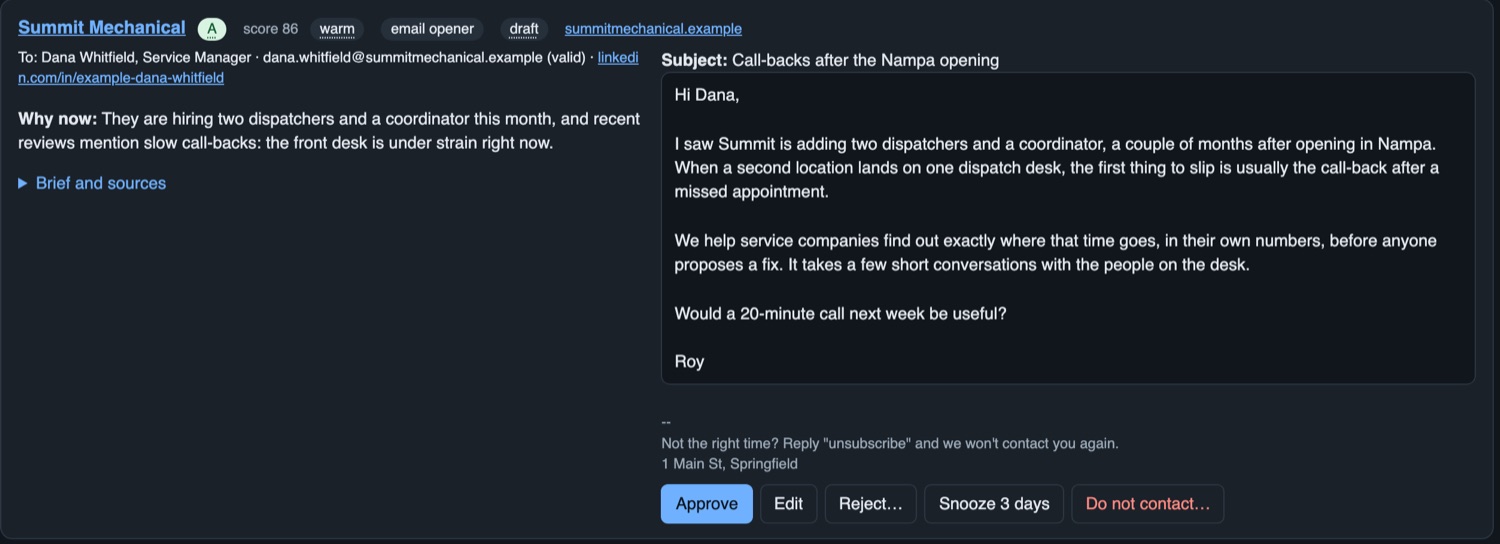
- An opener. A short first note about that company, by email or as a LinkedIn message to send yourself.
- An introduction request. Where you know someone there, a draft asking them to introduce you, in place of a cold note.
- Follow-ups. A sequence drafted from the same brief, each waiting for approval.
- A daily queue. A set number of drafts each day, warm companies first, then by score.
- Sent from your own mailbox. Approved emails go out from your own Gmail account, so replies come back to you.
- Your offer, your voice. The drafts are written from your description of what you sell and the templates you set.
Replies and hand-off
The sequence stops when it should, and a yes carries straight into discovery.
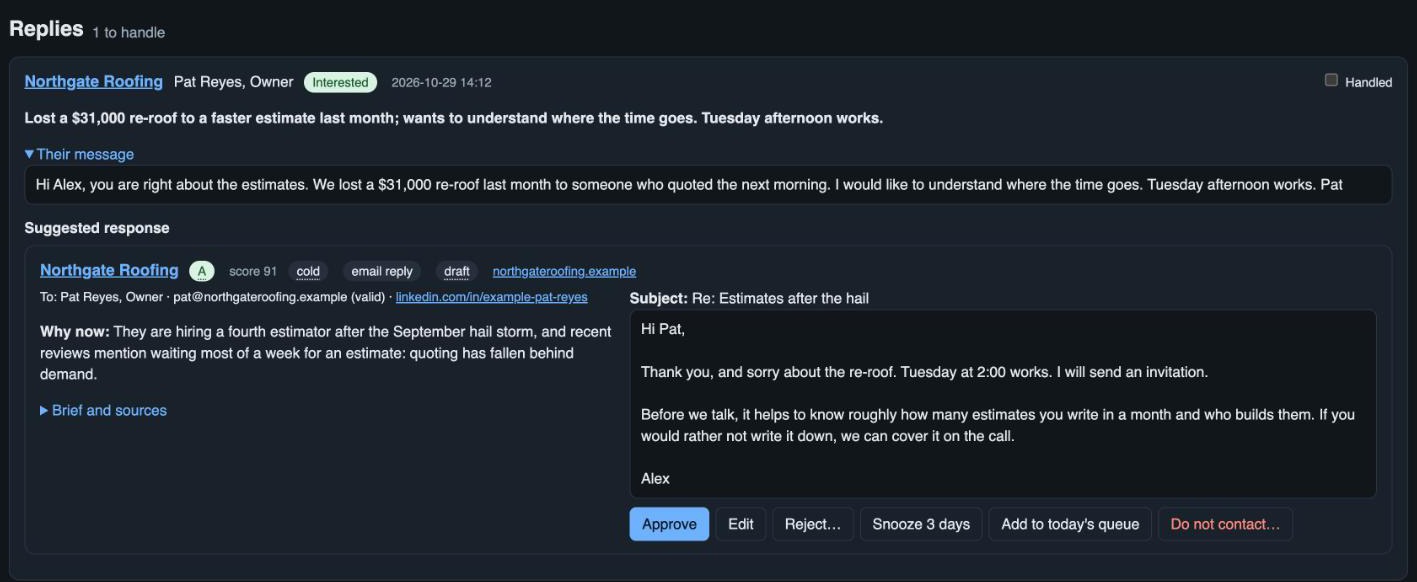
- A reply stops the sequence. Replies are picked up within minutes and the follow-ups for that person are cancelled.
- Unsubscribe on every email. Anyone who opts out is suppressed, and suppressed addresses and domains are skipped on every later import.
- A report. What was sent, what was answered and what it cost.
- One click into Discover. When a company agrees to a discovery, its research goes across with it and the outreach stops.
Next
See Outreach on a demo call.
Choose Outreach or Both on the demo form and we will walk through it with you.
More about the product: Discover · What it saves · Make it yours · Why DiscoverPro · Questions